How to download your visual guide

Having trouble accessing your download? You can access your order directly by following these steps:

Step 1

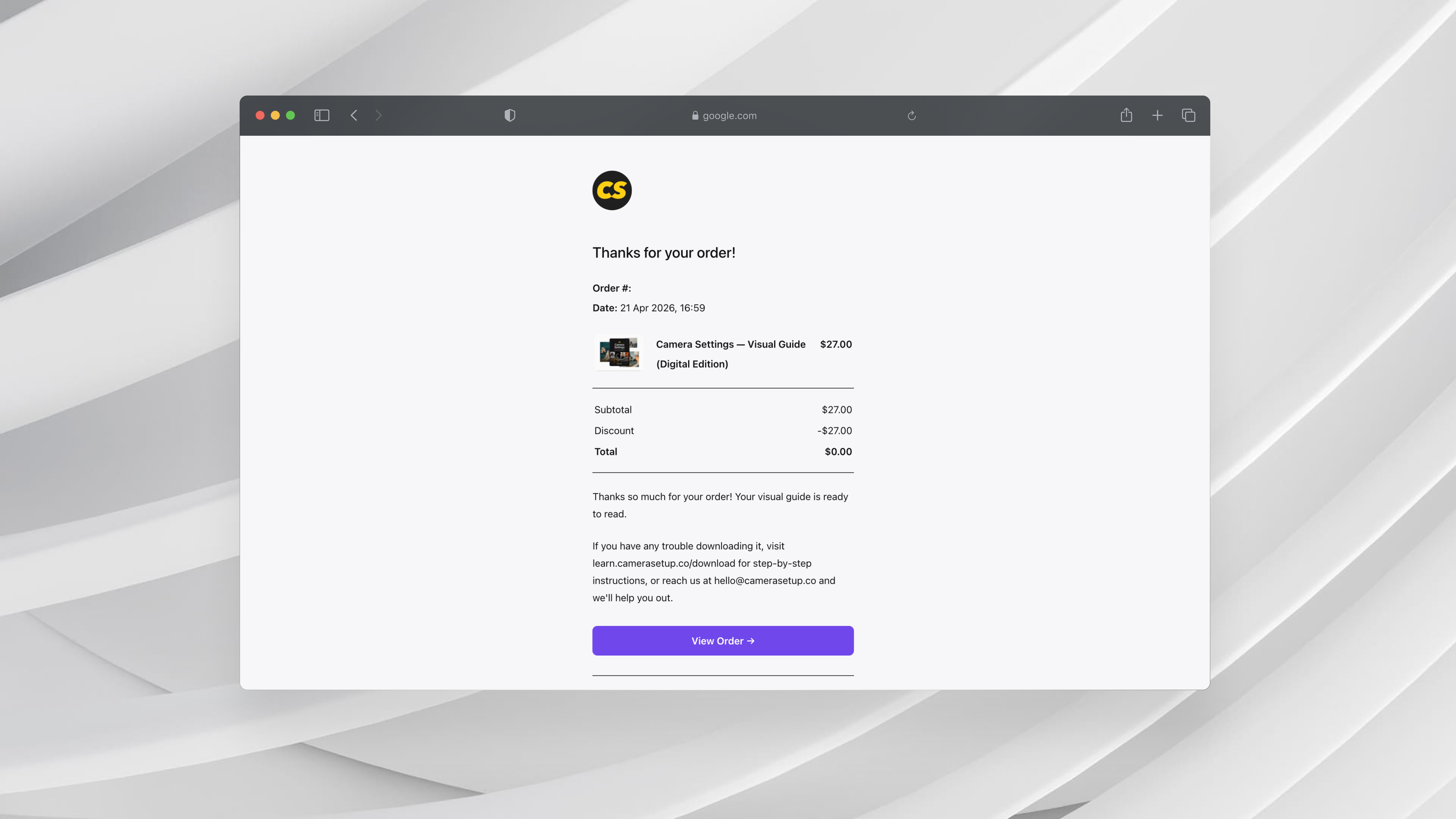
Click "View Order"

Click "View Order" in your original receipt email, or click the button down below:

Step 2

Sign in

Enter the email address you used to purchase and click Sign In. A secure link will be sent to your inbox.

Step 3

Open the email

Open that email and click the button to access your past orders.

Step 4

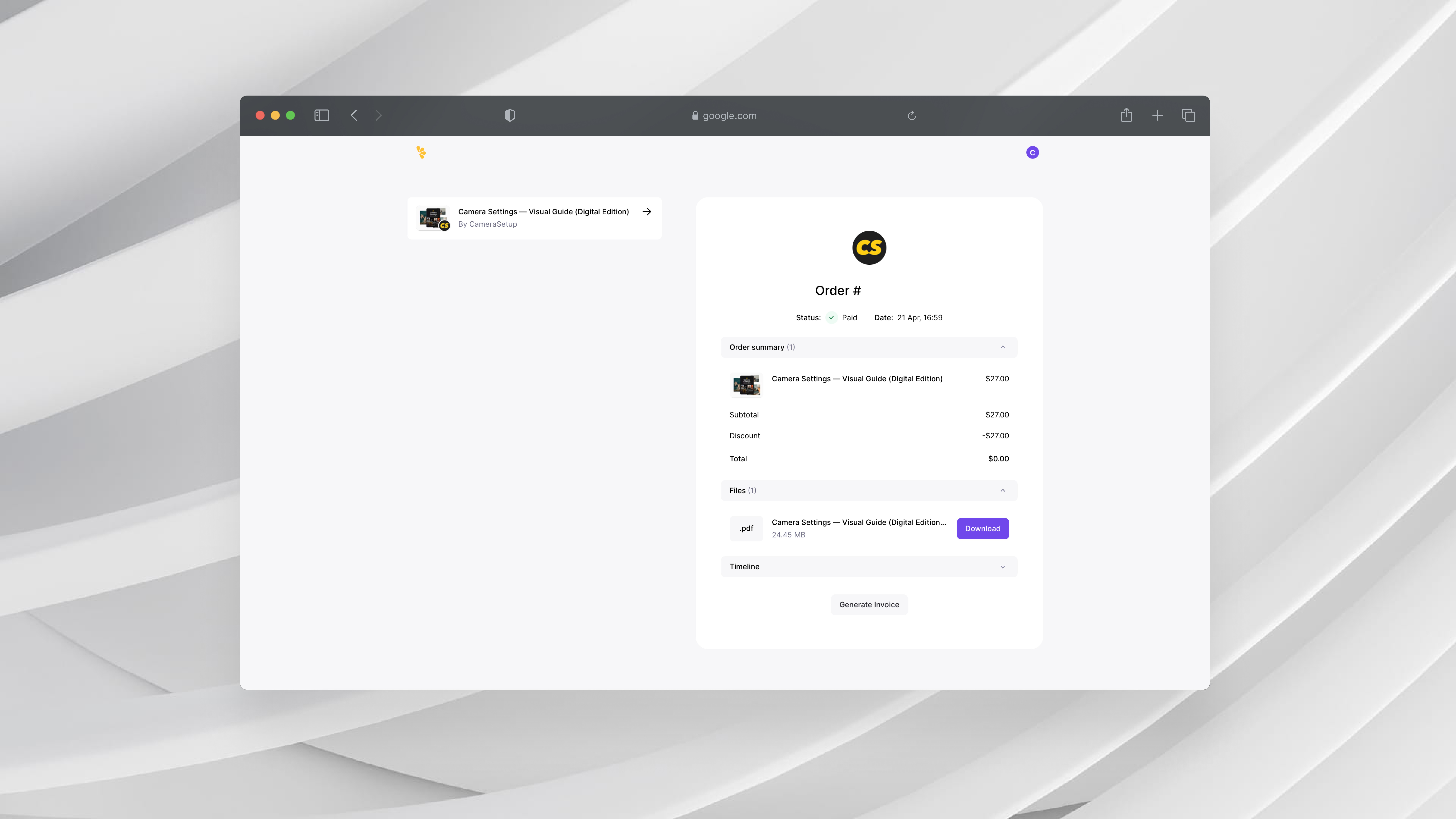
Go to your order

Under "My Orders", click on Camera Settings — Visual Guide (Digital Edition).

Step 5

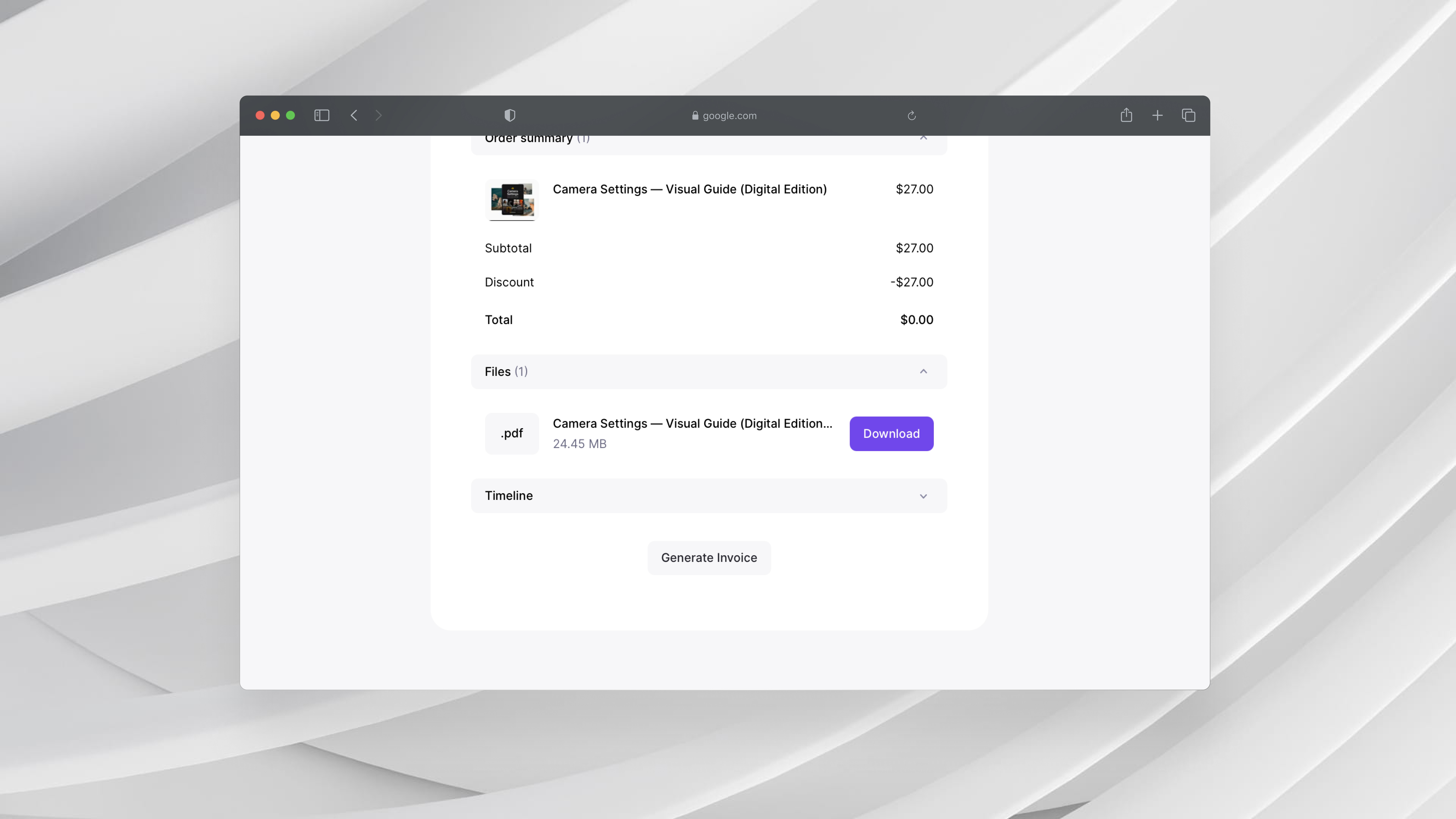
Click "Download"

Under "Files", you'll see a Download button. Click it to download your guide.

Still not working?

If you have any questions or trouble downloading it, contact our support team.

CameraSetup

Be Creative.

© 2026 Camera Setup B.V. All rights reserved.

CameraSetup is a trademark of Camera Setup B.V.

All operations are managed by Camera Setup Services B.V.